Include the complete silhouette
Missed shoes, hair, shadows, or accessories can leave traces, so include them in the selection.
People removal for photos
Remove a person from a photo by marking the exact figure you want gone while keeping the rest of the scene outside the edit.
ここに画像をドロップ
またはクリックして端末から選択
Real workflow result
The passerby was selected with the object brush. The processed result rebuilds only that part of the plaza from the surrounding scene.
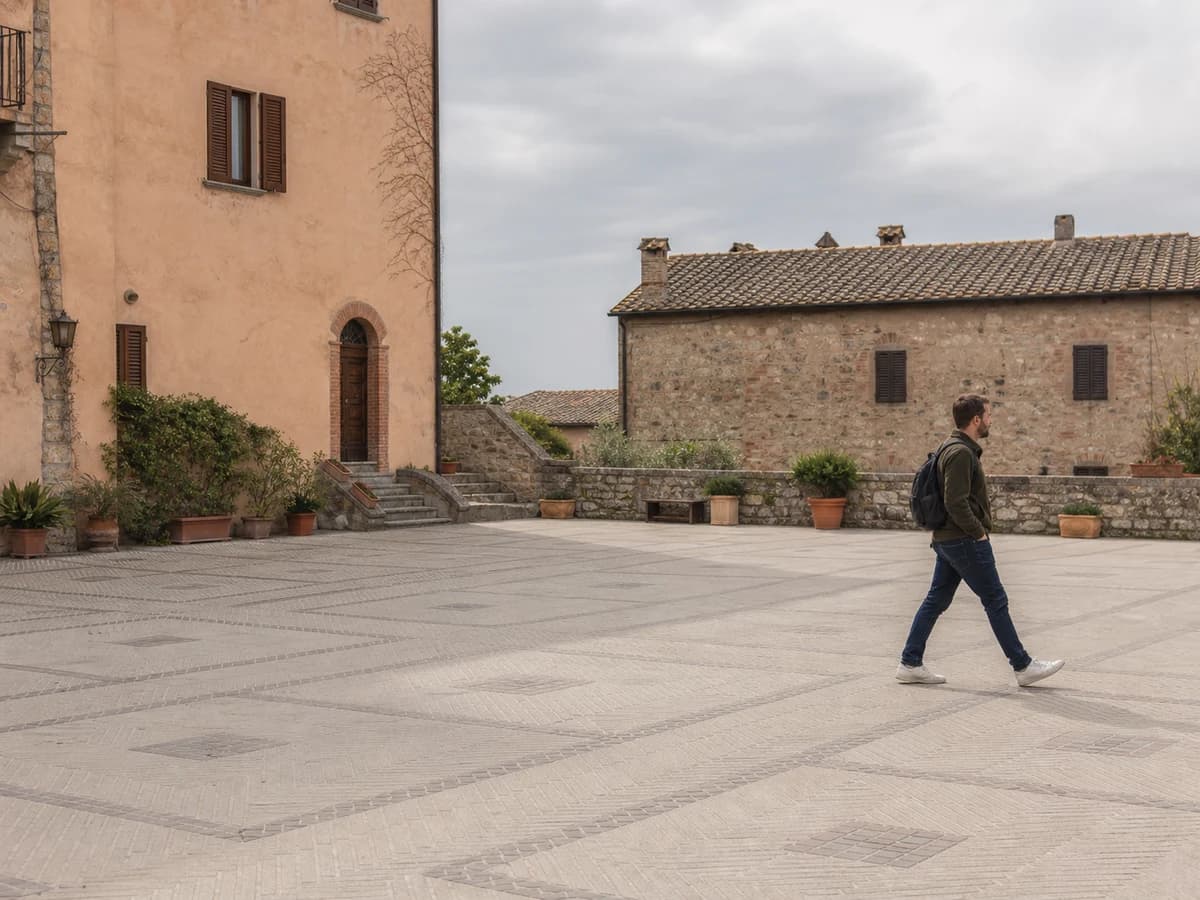
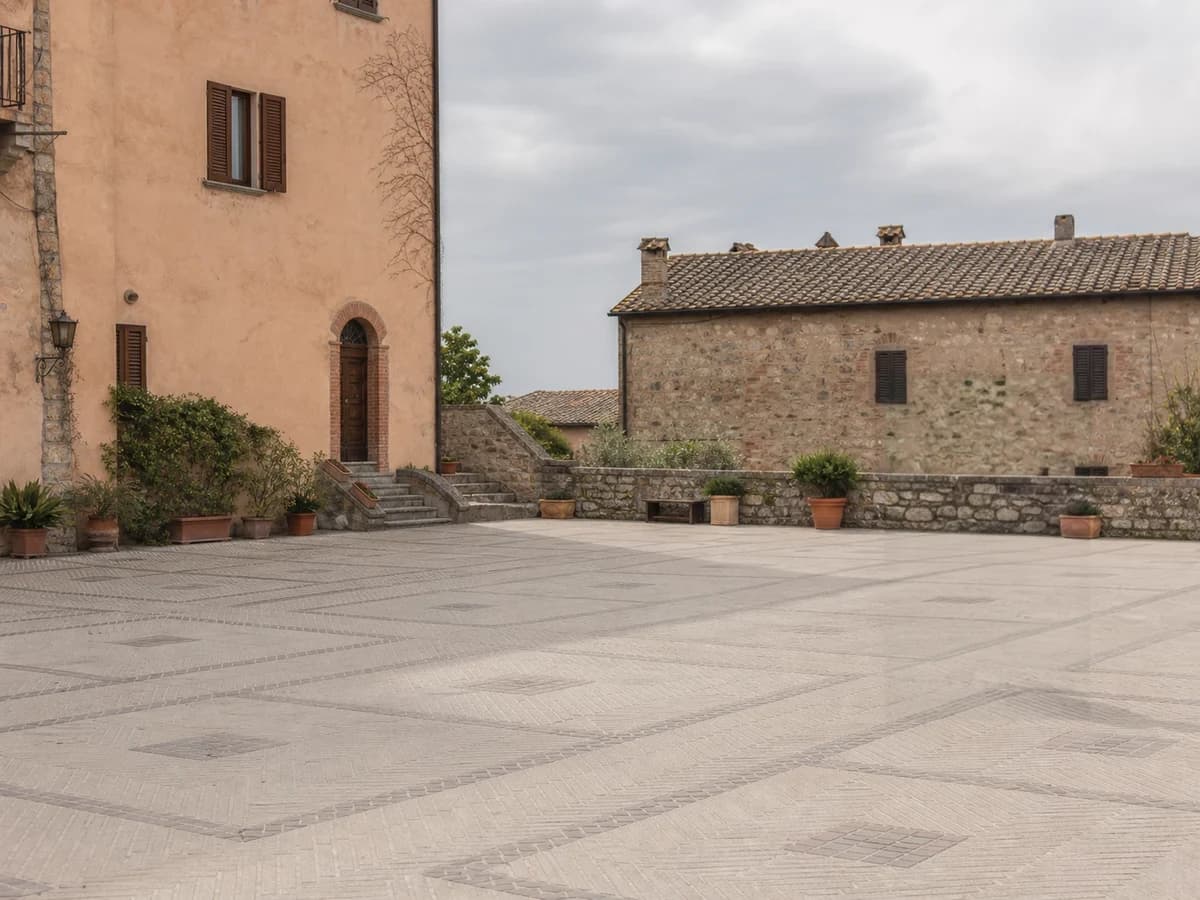
This workflow is useful for photobombers, passersby, and distracting background figures. A close selection gives the model more surrounding detail to rebuild the scene. Open the general object remover for a broader editing task.
Practical workflow
Choose a JPG, PNG, JPEG, or WebP image with the person you want to remove.
Cover the person, clothing, hair, and visible shadow while avoiding nearby subjects that should remain.
Run the removal, inspect repeated textures and object edges, then download the result.
What to expect
Missed shoes, hair, shadows, or accessories can leave traces, so include them in the selection.
Use a tighter brush when the unwanted person overlaps someone or something you want to keep.
The original pixels behind the person are unavailable. AI creates a plausible replacement from the visible scene.
Remove an unrelated passerby from a landmark, street, or landscape photo.
Clear someone at the edge of a group while preserving the main subjects and framing.
Remove background staff, guests, or pedestrians when you have permission to edit the photo.
Large people covering faces, furniture, or detailed architecture require more reconstruction and may need a smaller second pass.
Yes. Open this page in a mobile browser, upload the photo, and mark the person with the brush. A larger screen can make detailed selections easier.
No. It generates a plausible reconstruction from surrounding pixels because the original hidden background is not present in the photo.
Include a visible shadow when it belongs to the person you are removing. Leaving it behind can make the edit look incomplete.